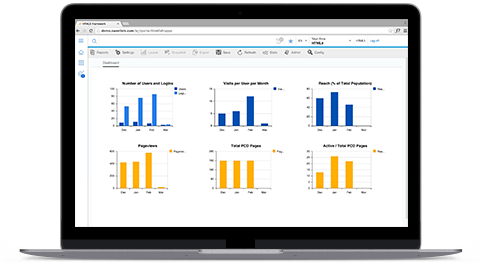
Finally, the app that quickly accesses usage statistics in your SAP NetWeaver Portal. Read more

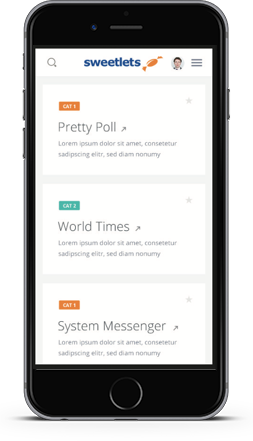
User friendly, modern, can be integrated with SAPUI5, fiori - for a great user experience! ...Read more

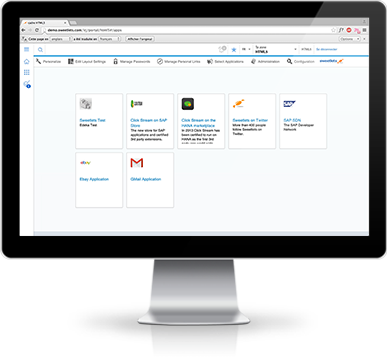
Single Sign-On Express manages all relevant user names and passwords in one handy iView ... with the click of a mouse. Read more

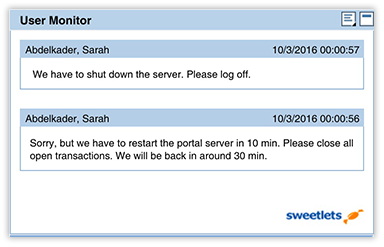
Broadcast instant or scheduled messages to your users (designed after SAP R/3 System Messaging & previously unavailable in the SAP Portal) ...Read more





"It's a really great tool to get feedback how our portal is used, what are the top ten iviews, what are the click paths in your portal .... and much more. The tool helped us a lot!"
F. W, Wieland Electric, Germany.
"Click Stream is very usefull to understand how your sap portal is used. It is ease to use, understandable and offers several analytic reports ready to be used."
Marco Mendicelli, Bulgari S.P.A., Italy.
"[...] I have to admit, Click Stream is a no-brainer for any portal implementation, excellent!"
Robin van het Hof, SAP Netweaver Magician at Qualiture Consultancy, Netherland.
"Click Stream is still brilliant… we use it all the time and it continues to provide great decision support."
Cameron Lewis, Director - HR Systems and Infrastructure at Cadence Design Systems Inc., USA.
"The power of Click Stream enables us to measure the success of our Portal and better tailor and target our portal content."
Chaya Buhari, Information Systems Manager at Konica Minolta, Australia.
"Sweetlets has provided the 'Best' customer support experience i have ever had"
Al Harrington, Business Systems Analyst at waters corporation, USA



 HTML5 Navigation
 Click Stream
 BW Tree
 Events Calendar
 Pretty Poll
 Quick Links
 SSO Express
 System Messenger
 World Times