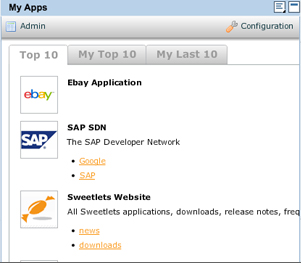
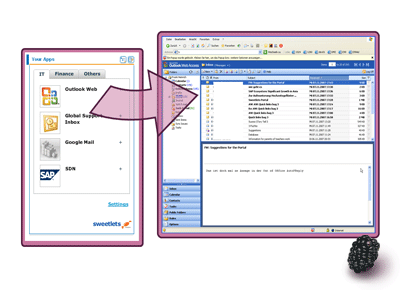
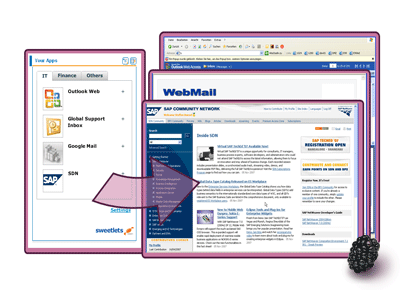
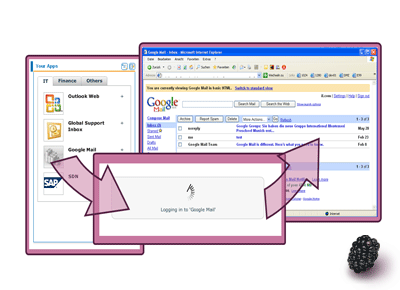
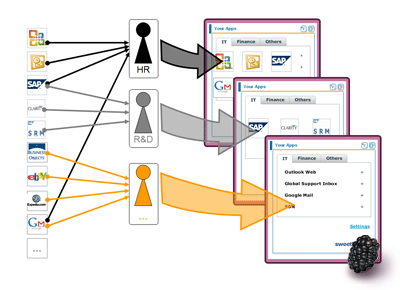
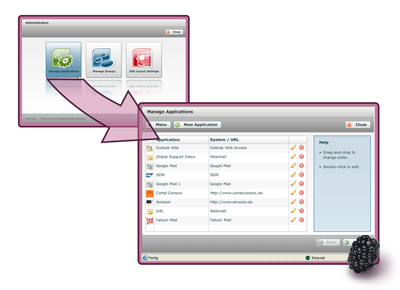
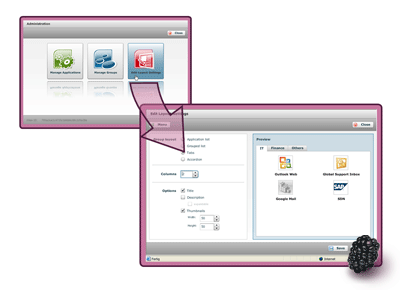
SSO Express by Sweetlets compiles all relevant applications of an end-user in a handy iView. Administration of systems, usernames and passwords, happen effortlessly on the fly.
Do you see an empty Flash? A right click allows you to select Play from the context menu? Please ask your administrator to verify two settings for the portal server. Please open: Visual Admin – Cluster – Server – Services – HTTP Provider – Properties.
Our SWF files are compressed already. SWF (Flash) files need to be on the list of never compressed items, otherwise the server compression may cause an error in the SWF files that are loaded by the flash plug-in in your browser. Please contact support@sweetlets.com for any additional help.
Sometimes you need to update your Flash Player Plug-In for your browser to enjoy the latest and greatest. But, how to find out the current version you have installed? Please visit: http://kb.adobe.com/selfservice/viewContent.do?externalId=tn_15507 This official Adobe page can tell you exactly your major and minor version number. Please contact support@sweetlets.com for any additional help.
For any technical issues or technical questions regarding any of our Sweetlets products, please contact our experienced support team via support@sweetlets.com. If you are currently running one of our SAP Portal applications, any additional information you can provide is greatly appreciated and required to speed up service. Please provide the following information below:
Our support team is more than happy to help in your situation and will respond within 24-48 hours. Please contactsupport@sweetlets.com for any additional help.
If you wish to remove a Sweetlets business package from your SAP Portal (eg. after testing), please remove all related PCD objects – then remove the relevant PAR file using the Portal Administration. Once installed, a Sweetlets app can be uninstall without harming your system. Please keep in mind it is always good to take a backup before changing anything and we do recommend it. To remove Sweetlets business packages, simply:
**NOTE: Skip step A if you only used the Sweetlets Showcase!
Pricing for all our Sweetlets SAP Portal applications is based on the total number of named users within your SAP Portal. Purchase consists of a one-time license fee along with a support fee paid annually.
Please note:However, we do encourage installing our applications in your development portal to test drive. Get a more concrete feel of the power behind these business packages and the impact it can have in your SAP Portal. Try them today! Simply go to our Downloads page and follow the instructions. Please contact support@sweetlets.com for any additional help.
Support entitles purchaser to maintenance requests noted below on an annual basis. All versions of our applications are supported by Sweetlets regardless of version purchased, provided annual support is paid. Please contact our team to receive our official Software License Agreement (SLA). Support items include:
**Please note: Major upgrades are subject to an upgrade fee and not included in the annual support contract. E.g. 1.x version upgraded to a 2.x version Please contact support@sweetlets.com for any additional help.
Based out of Munich, Germany, Sweetlets provides affordable, user-friendly business packages for use within the SAP NetWeaver Portal under the respected parent company, Pentland Firth Software GmbH. What makes Sweetlets unique from other software development firms is our exclusive focus in the SAP NetWeaver Portal space for over 8 years. Who else can boast this! The founders of Pentland Firth were instrumental in one of the very first implementations of the SAP Enterprise Portal 5.0, together with SAP in early 2002. These former big five consultants then created the notable Sweetlets brand in 2004 after seeing a clear void in the market for easy-to-deploy SAP Portal applications. For you, this means highly specialized knowledge when it comes to your SAP Portal. When you need your teeth cleaned, you don’t go see a plumber! So when it comes to your SAP Portal, talk to Sweetlets, the SAP Portal experts. To date, SAP Software Solution Partner Sweetlets continues to provide SAP-certified solutions based entirely on customers’ needs to an extensive variety of distinguished clients worldwide – in a broad range of industries. Please contact support@sweetlets.com for any additional help.
Keep up to date here with the latest and previous release notes
Latest release: 2.1.25 on Apr 11, 2014 Note: Please check the PDF “SSO Express 2.1.24 – Changes to apply” when running a version lower than 2.1.24 and want to update.
Latest release: 1.0.0 (60.1) on December 20, 2006

 HTML5 Navigation
 Click Stream
 BW Tree
 Events Calendar
 Pretty Poll
 Quick Links
 SSO Express
 System Messenger
 World Times