In the latest version of Sweetlets’ SAP Portal usage tool, Click Stream 2.4, our developers have just added a very important feature – a filtering option on first and second level navigation.
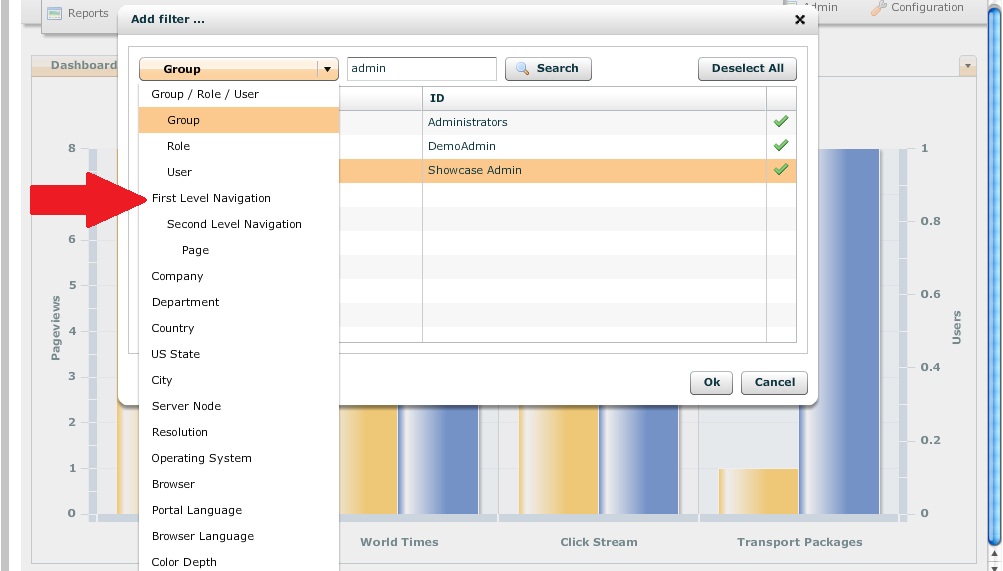
Select from the drop down options in Click Stream’s Filter feature
Let’s say you do the communications for your department … and therefore responsible for the complete content below a top level navigation entry. How do you quickly and easily get the number of unique users within your portal pages? (And of course you don’t have time, nor want to be counting each and every single one!)
This is where you can really reap the benefits of Click Stream’s filtering on first and second level navigation. With this new feature, the 50,000-foot view on your high level content comes in quite handy.
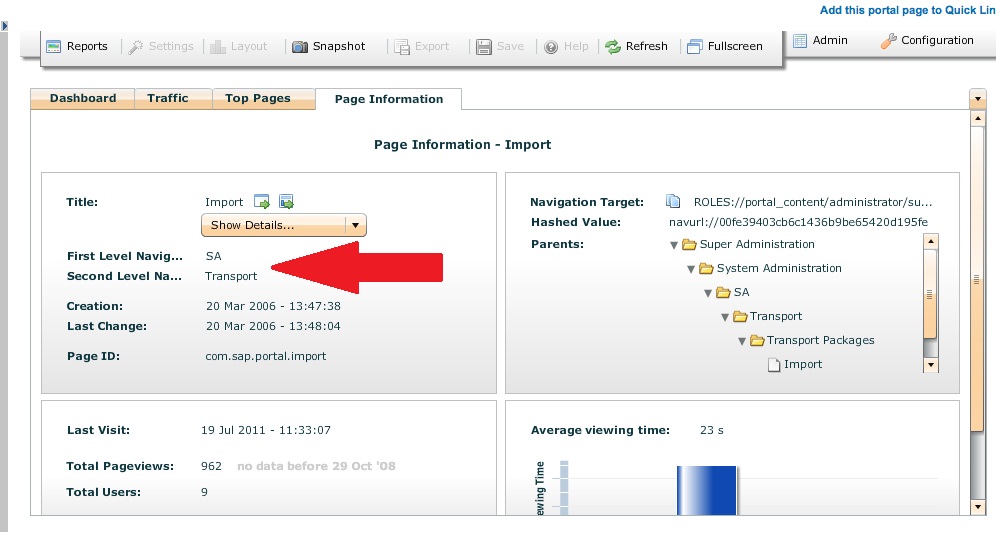
1st & 2nd level navigation within specific page details
Through client request, separating traffic for different departments was a must. While Click Stream was already recording this information, our developers just made reporting on this high level content more readily accessible. Our developers also included the actual label of the navigation, not only the PCD path. This way you can identify specific pages at a quick glance.
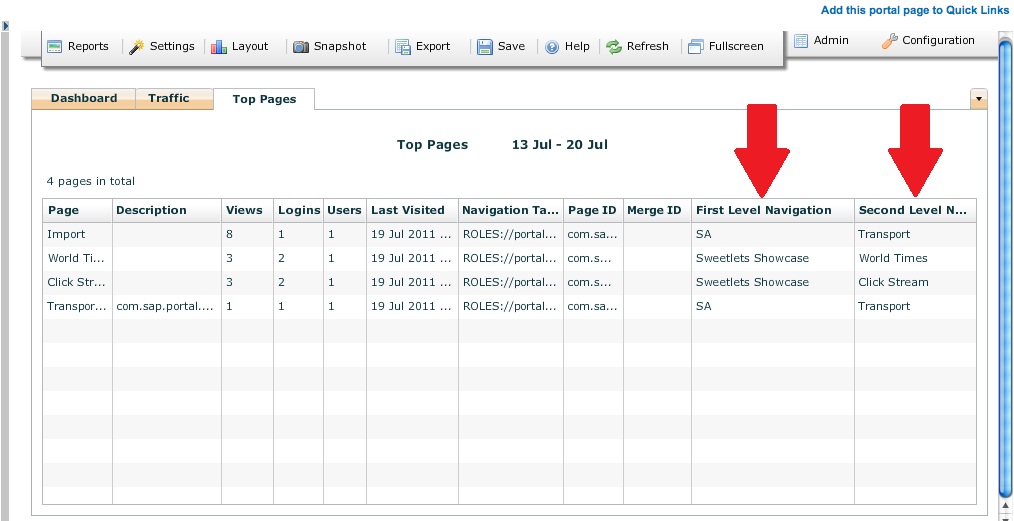
Details of your page in a handy table view – complete with 1st & 2nd level navigation
Should you have any questions or concerns regarding this new feature or any SAP Portal related topics, please don’t hesitate to contact us.
The very first alternative to the standard SAP Portal Activity Report (PAR) and Activity Data Collector (ADC) for tracking your portal usage.

 HTML5 Navigation
 Click Stream
 BW Tree
 Events Calendar
 Pretty Poll
 Quick Links
 SSO Express
 System Messenger
 World Times