There are different ways to install our business packages on NW 7.3. Our business
packages for 7.3 consist of two files. The EPA package contains PCD objects like
iViews, Pages, Roles etc. The EAR package contains the Java code. The EPA package
can be imported using the System Administration through the portal as in the
past.
The EAR file now needs to be installed separately and this can be done with different
ways:
- Administration using telnet
- SAP NWDS NetWeaver Developer Studio
- Using JSPM to install EAR
1. How to use the AS Java Telnet command line
tool:
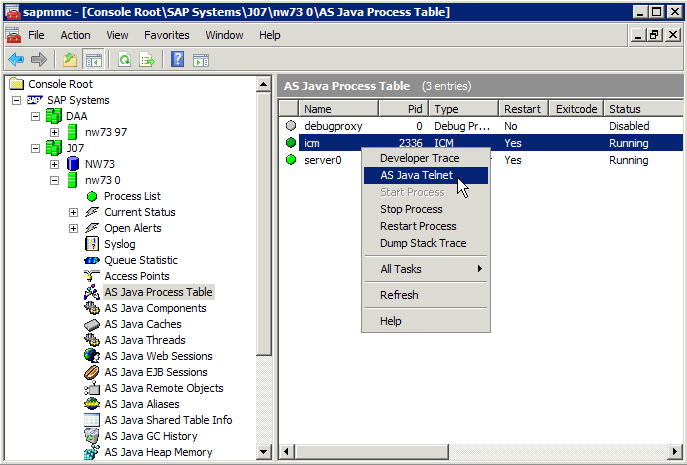
- Remote login to your portal server and start the SAP Management Console.
- Choose the J2EE system on which you want to start Telnet.
- Navigate to the J2EE AS Java Process Table node.
- From the right-hand pane, select the ICM and select AS Java Telnet from the
context menu. The J2EE Engine Telnet Administration Console opens.
- Enter a valid portal login to authenticate yourself.
- Execute the deploy command without an argument to switch the console to
deployment mode.
- Execute the deploy command with path to the EAR location as an argument, along
with version_rule=all as a parameter.
- Example: deploy com.sweetlets.pct.clickstream.ear
version_rule=all
More information on help.sap.com:
http://help.sap.com/saphelp_nw73/helpdata/en/4a/3815bf92a81c62e10000000a42189c/frameset.htm
2. How to use the NWDS for deployment:
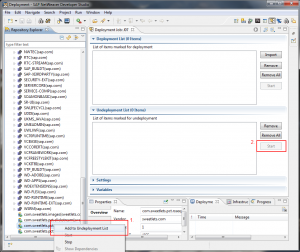
If an old version of the portal applications is installed on your portal, uninstall
it first before deploying the new version using the deploy perspective of NWDS:
Uninstalling old portal application version before deploying the new version
using the deploy perspective of NWDS
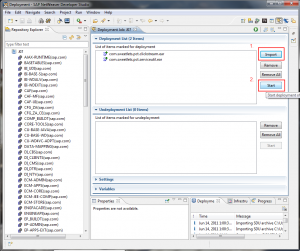
Now you can deploy the portal application files using NWDS:
Deploying the NW 7.30 Portal application files using NWDS
You may also change your deployment strategy to always undeploy and version installed
on the server.
3. How to use JSPM to install EAR files
Download the EAR file from our website and copy it to the import directory similar to
this: usr/sap/sapmnt/trans/EPS/in.
Start JSPM using additional config parameter. Typically you can find the batch file
to start JSPM here: usr/sap/<SID>/J00/j2ee/JSPM/go
-config=/jspm/deployVersionRule=updateAll
-config=/jspm/forceMode=true
Starting JSPM on help.sap.com
Please consider to use the <SID>adm or administrator user. Then choose package
type
Hotfix and click Next. Select the file to deploy and confirm
by clicking Next.
We recommend to remove the EAR file from directory usr/sap/sapmnt/trans/EPS/in after
a successful import.
Migration
Please note that this step is not required for the latest releases of the Sweetlets
application. We rather recommend to download the EAR files for 7.3 from our website.
In case you want to migrate installed packages after you upgraded your portal from
7.0 to 7.3 you may want to follow below description. For this procedure, you need to
have system administration permission in the portal.
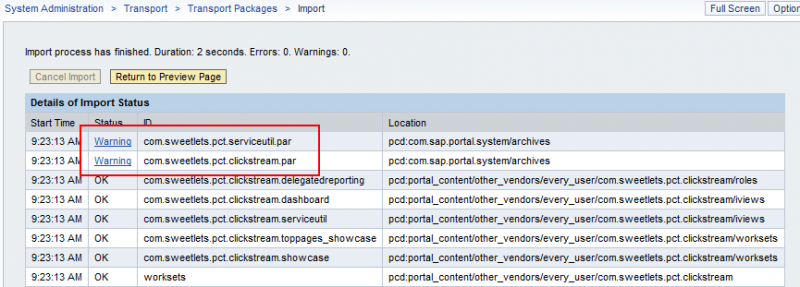
The portal application files that you need to migrate after an EPA import are listed
in the import summary screen:
NW 7.30 import summary screen
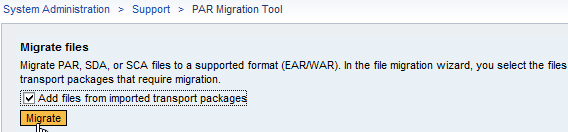
Migrate PAR files that were contained in the EPA using
System
Administration >
Support >
Par Migration
Tool. Therefore, check the box
Add files … from
imported transport package and click on
Migrate.
How to add files from imported transport package in NW
7.30 Par Migration Tool
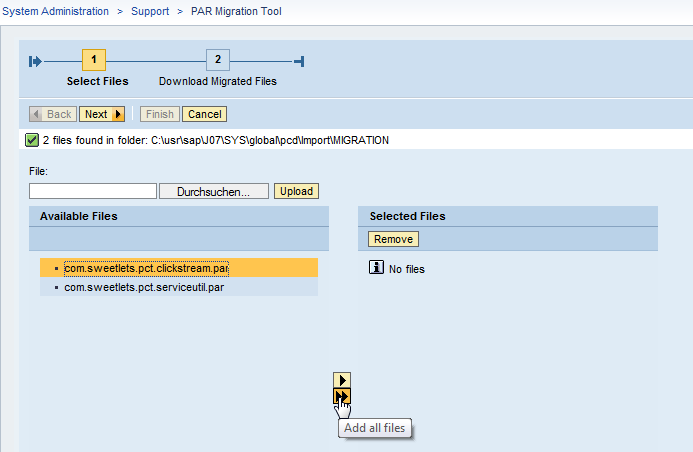
Follow the steps of the wizard to migrate and download the portal applications:
Download location to download and migrated files in NW
7.30 PAR Migration Tool
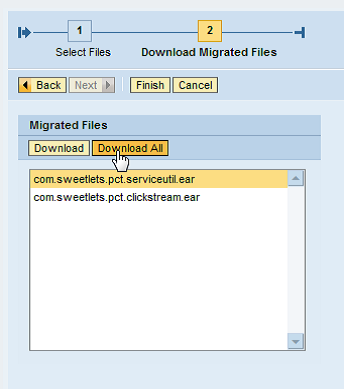
Download the EAR files and unzip them to a folder on the computer that you use for
NWDS.
Downloading the EAR files and unzip them to a folder on
the computer being used for NWDS.
Now you have the choice to use NWDS for deployment of the EAR files or if you choose
to use the AS Java Telnet command line tool from SAP or JSPM running on the server.
Please follow description above.
For additional information, the SAP Community Network also provides some great
insight into this procedure:
How To Migrate Custom
Portal Applications to SAP NetWeaver 7.3
Please contact
support@sweetlets.com
for any additional help.



 HTML5 Navigation
 Click Stream
 BW Tree
 Events Calendar
 Pretty Poll
 Quick Links
 SSO Express
 System Messenger
 World Times